> For the complete documentation index, see [llms.txt](https://helpcenter.xopero.com/xopero-one-en/llms.txt). Markdown versions of documentation pages are available by appending `.md` to page URLs; this page is available as [Markdown](https://helpcenter.xopero.com/xopero-one-en/common-issues/workstations-and-servers/backup-task-ends-with-a-dv0270-user-defined-script-failed-error.md).
# Backup task ends with a "DV0270: User-defined script failed" error
In this article, you will learn how to add the MySQL dump utility to the path variable. This is necessary for define arguments for the MySQL database backup script installed on Linux.
## Issue
> Backup task ends with error: **"DV0270: User-defined script failed"**.
***
## Cause
This occurs because the path to **MySQL** dump is missing from the operating system **PATH** variable.
***
## Resolution
Add the **MySQL dump** utility to the system **PATH** (this is required to allow the **MySQL** database backup script installed on **Linux** to properly define its arguments):
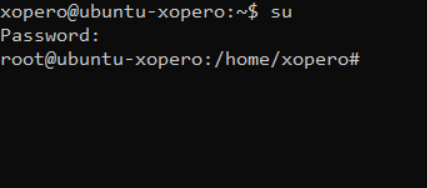
1. Run the terminal as root, for example:
2. Execute the following commands:
```bash
mv /usr/bin/mysqldump /usr/bin/mysqldump0
echo '#!/bin/bash' > /usr/bin/mysqldump
echo 'export LD_LIBRARY_PATH=' >> /usr/bin/mysqldump
echo '/usr/bin/mysqldump0 $@' >> /usr/bin/mysqldump
chmod a+x /usr/bin/mysqldump
```
Executing the suggested commands in terminal.
3. Assigning the path to the **MySQL** dump utility should resolve issues with backing up **MySQL** databases.