> For the complete documentation index, see [llms.txt](https://helpcenter.xopero.com/xopero-one-en/llms.txt). Markdown versions of documentation pages are available by appending `.md` to page URLs; this page is available as [Markdown](https://helpcenter.xopero.com/xopero-one-en/management/devops/repositories-list.md).
# Repositories list
This article provides information about the repository list and its synchronization.
#### The repository list is available in your DevOps organization dashboard under Explore button.
***
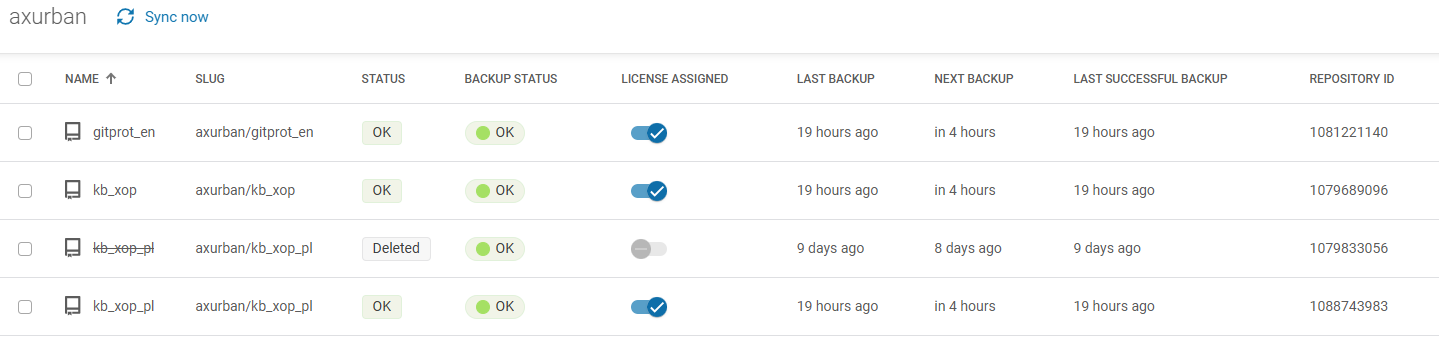
## List overview
Every list displays core information about your repositories in a table form. To modify the columns displayed in your repository list, use the **gear** ⚙️ button on the right.
1. **Name** — repository name.
2. **Slug** — repository page identifier.
3. **Status** — repository status.
4. **Backup status** — status of the latest backup.
5. **License assigned** — allows you to assign or remove licenses from your repositories.
6. **Last backup** — latest backup time; includes unsuccessful backups.
7. **Next backup** — estimated start time of the next backup.
8. **Last successful backup** — latest successful backup time.
9. **Repository ID** — repository identifier.
***
## Synchronization
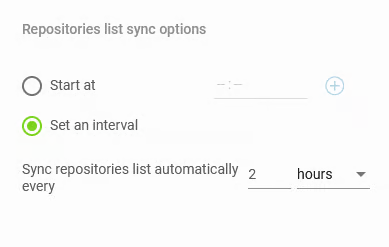
When adding a new **DevOps** organization, you can specify the hours when **Xopero ONE** should synchronize with its repositories, or set a recurring time interval.
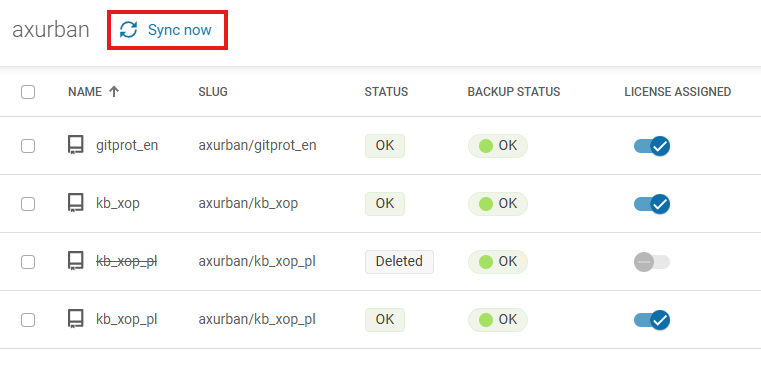
You can also start the synchronization task from the repository list—to sync **Xopero ONE** with your **DevOps** environment, click the 🔄️ **Sync now** button. You can view the time of the last synchronization under the repository list.