# Aktualizacja w systemie Windows i Windows Server

#### Utrzymywanie aktualności agentów Xopero ONE w systemach Windows oraz Windows Server zapewnia optymalną wydajność i bezpieczeństwo.

***

## Pobieranie instalatora <a href="#installer_download" id="installer_download"></a>

{% stepper %}
{% step %}
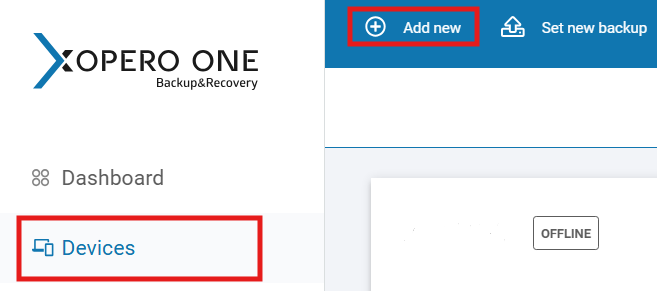
Zaloguj się do **Xopero ONE Management Service** za pomocą przeglądarki internetowej, aby pobrać instalator z najnowszą wersją **agenta**. Następnie przejdź do zakładki **Urządzenia** i kliknij przycisk **Dodaj urządzenie**.

<figure><img src="https://1873867500-files.gitbook.io/~/files/v0/b/gitbook-x-prod.appspot.com/o/spaces%2Fwg6DDqlTFok8F9zv6rqa%2Fuploads%2FFgf2NuMBtnRE7WsOeQEK%2Fagentwinupdt4.png?alt=media&#x26;token=03bd2e4f-6129-4e98-8da8-acb6a8826a8a" alt="" width="493"><figcaption></figcaption></figure>
{% endstep %}

{% step %}
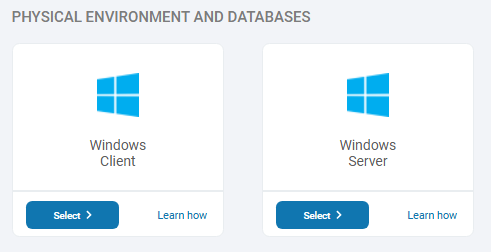
Następnie wybierz odpowiednie środowisko (**Windows Client** lub **Windows Server**, zależnie od potrzeb) oraz typ instalatora z rozwijanego menu (np. **instalator domyślny**, **wersja dla WS 2012** itd.).

<figure><img src="https://1873867500-files.gitbook.io/~/files/v0/b/gitbook-x-prod.appspot.com/o/spaces%2Fwg6DDqlTFok8F9zv6rqa%2Fuploads%2F4w2oZjuuyIXU3wala2FK%2Fagentwinupdt1.png?alt=media&#x26;token=82b3bd9e-7698-4f02-bc15-556248d9c263" alt="" width="368"><figcaption></figcaption></figure>
{% endstep %}

{% step %}
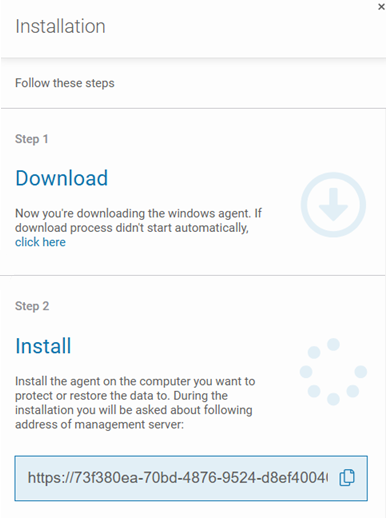
Po wybraniu wersji pobieranie rozpocznie się automatycznie. Zostaniesz również przekierowany do widoku **Instalacji**, który zawiera krótką instrukcję instalacji oprogramowania krok po kroku.

<figure><img src="https://1873867500-files.gitbook.io/~/files/v0/b/gitbook-x-prod.appspot.com/o/spaces%2Fwg6DDqlTFok8F9zv6rqa%2Fuploads%2FvKbOVNleZfggT41LgL20%2Fagentwinupdt2.png?alt=media&#x26;token=923c5b42-e6c7-43d6-b1b0-5bffa849f58b" alt="" width="290"><figcaption></figcaption></figure>
{% endstep %}

{% step %}
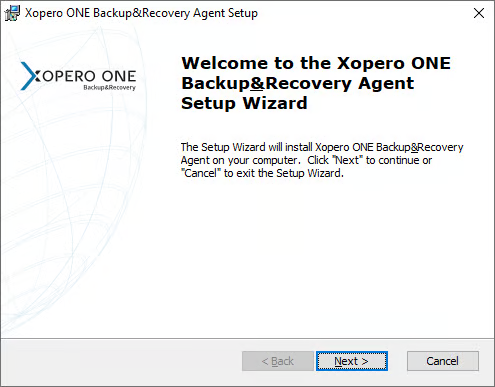
Uruchom pobrany plik, wybierz język instalacji i kliknij **Dalej (Next)**, aby rozpocząć proces.

<figure><img src="https://1873867500-files.gitbook.io/~/files/v0/b/gitbook-x-prod.appspot.com/o/spaces%2Fwg6DDqlTFok8F9zv6rqa%2Fuploads%2FQVmiDrcLE2bU6TNqGn4Q%2Fagentwinupdt5.png?alt=media&#x26;token=ed601473-4918-49c4-a2cc-53d8a4b6906a" alt=""><figcaption></figcaption></figure>
{% endstep %}

{% step %}
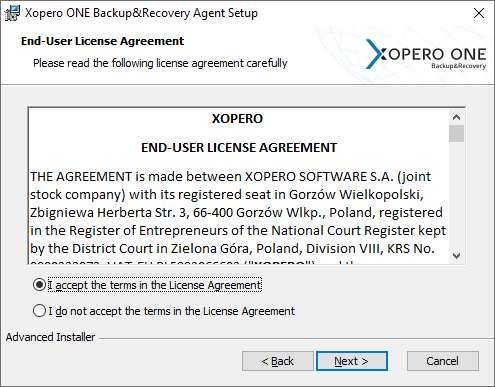
Przeczytaj i zaakceptuj **Umowę Licencyjną Użytkownika Końcowego (EULA)**, a następnie przejdź do następnego kroku.

<figure><img src="https://1873867500-files.gitbook.io/~/files/v0/b/gitbook-x-prod.appspot.com/o/spaces%2Fwg6DDqlTFok8F9zv6rqa%2Fuploads%2FwCVhYcsZbOWKXqpZ9uGK%2Fagentwinupdt6.png?alt=media&#x26;token=a41f11ca-2fe3-43f6-8cc3-acbf4975adce" alt=""><figcaption></figcaption></figure>
{% endstep %}

{% step %}
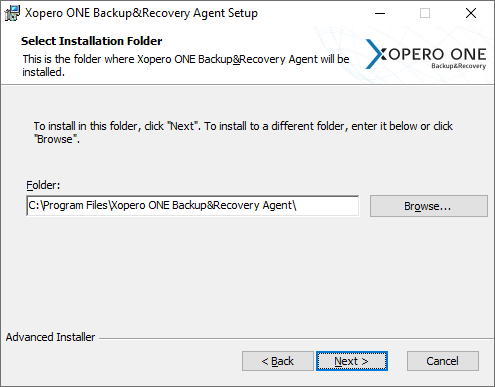
Wybierz folder, w którym ma zostać zainstalowany **agent Xopero ONE**.

<figure><img src="https://1873867500-files.gitbook.io/~/files/v0/b/gitbook-x-prod.appspot.com/o/spaces%2Fwg6DDqlTFok8F9zv6rqa%2Fuploads%2FfB9MUKDS55dsuaIzZNjY%2Fagentwinupdt7.png?alt=media&#x26;token=e5963198-4895-428d-a98d-b89b8300bd40" alt=""><figcaption></figcaption></figure>
{% endstep %}

{% step %}
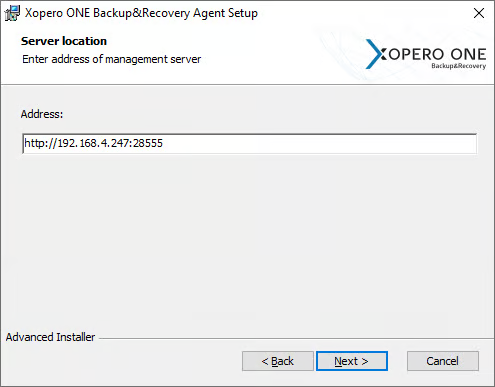
W polu **Adres (Address)** wpisz adres usługi **Management Service**, uwzględniając zarówno **protokół**, jak i **port**.

<figure><img src="https://1873867500-files.gitbook.io/~/files/v0/b/gitbook-x-prod.appspot.com/o/spaces%2Fwg6DDqlTFok8F9zv6rqa%2Fuploads%2FFGrLQoPqssqa45FSZZFp%2Fagentwinupdt8.png?alt=media&#x26;token=94ac80f9-991e-44a9-b11e-9720563f00d9" alt=""><figcaption></figcaption></figure>
{% endstep %}

{% step %}
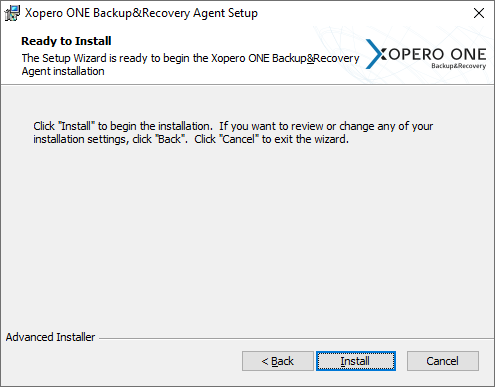
Kliknij **Instaluj (Install)**, aby rozpocząć proces.

<figure><img src="https://1873867500-files.gitbook.io/~/files/v0/b/gitbook-x-prod.appspot.com/o/spaces%2Fwg6DDqlTFok8F9zv6rqa%2Fuploads%2F9SenRQrAiklSeivZ3xSz%2Fagentwinupdt9.png?alt=media&#x26;token=028129b5-3d86-4ba6-8534-5404e5e4bbfc" alt=""><figcaption></figcaption></figure>
{% endstep %}

{% step %}
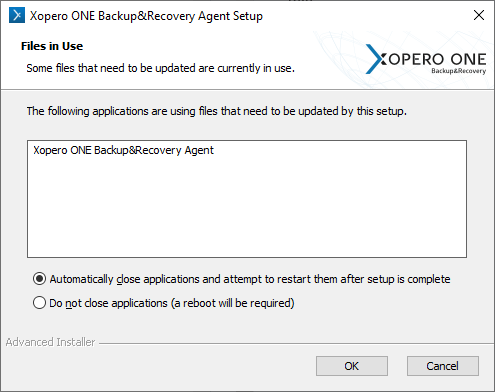
Wybierz, czy chcesz automatycznie zrestartować aplikację po zakończeniu konfiguracji (zalecane), czy zrestartować komputer później.

<figure><img src="https://1873867500-files.gitbook.io/~/files/v0/b/gitbook-x-prod.appspot.com/o/spaces%2Fwg6DDqlTFok8F9zv6rqa%2Fuploads%2FzrQRQQf36sBVkmX9Z9y4%2Fagentwinupdt11.png?alt=media&#x26;token=1bcad2a9-0f26-4b01-b038-d539ce3ea1a1" alt=""><figcaption></figcaption></figure>
{% endstep %}

{% step %}
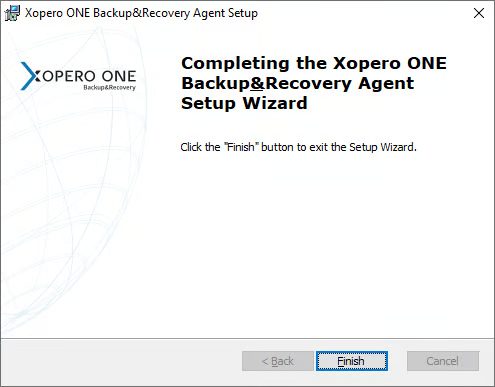
Gdy kreator zakończy pracę, kliknij **Zakończ (Finish)**.

<figure><img src="https://1873867500-files.gitbook.io/~/files/v0/b/gitbook-x-prod.appspot.com/o/spaces%2Fwg6DDqlTFok8F9zv6rqa%2Fuploads%2FmRNB65CPFC3fJnAWSKUE%2Fagentwinupdt10.png?alt=media&#x26;token=d4a0d996-8825-40c8-be88-47d4b1a62838" alt=""><figcaption></figcaption></figure>
{% endstep %}

{% step %}
Aktywuj urządzenie za pomocą usługi **Xopero ONE Management Service**.
{% endstep %}

{% step %}
**Agent** powinien być teraz zaktualizowany i gotowy do pracy.
{% endstep %}
{% endstepper %}
---

# Agent Instructions: Querying This Documentation

If you need additional information that is not directly available in this page, you can query the documentation dynamically by asking a question.

Perform an HTTP GET request on the current page URL with the `ask` query parameter:

```
GET https://helpcenter.xopero.com/xopero-one-en/pl/aktualizacje/agent-xopero-one/aktualizacja-w-systemie-windows-i-windows-server.md?ask=<question>
```

The question should be specific, self-contained, and written in natural language.
The response will contain a direct answer to the question and relevant excerpts and sources from the documentation.

Use this mechanism when the answer is not explicitly present in the current page, you need clarification or additional context, or you want to retrieve related documentation sections.