> For the complete documentation index, see [llms.txt](https://helpcenter.xopero.com/xopero-one-en/llms.txt). Markdown versions of documentation pages are available by appending `.md` to page URLs; this page is available as [Markdown](https://helpcenter.xopero.com/xopero-one-en/pl/zarzadzanie/devops/edycja-organizacji.md).

# Edycja organizacji

#### Aby edytować integrację organizacji DevOps w Xopero ONE, otwóz kartę DevOps, przejdź do odpowiedniej sekcji i wybierz opcję Edytuj.

***

## Edycja

### <mark style="background-color:blue;">Metoda integracji</mark>

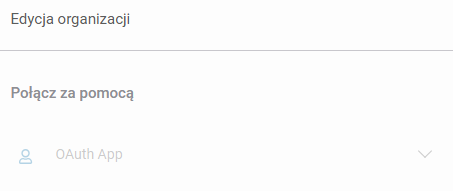
Ponieważ środowisko **DevOps** jest już dodane, metoda integracji nie może być edytowana. Aby ją zmienić, musisz usunąć organizację i dodać ją ponownie.

<figure><img src="/files/9TpBxUv1xbBSnrRRfPDu" alt="" width="340"><figcaption></figcaption></figure>

### <mark style="background-color:blue;">Ustawienia repozytoriów</mark>

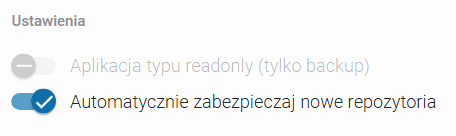
Możesz dostosować ustawienie, które automatycznie dodaje nowe repozytoria do **Xopero ONE**. Aby zmienić tę opcję, użyj przełącznika w sekcji **Ustawienia**.

<figure><img src="/files/FgGhYe8s42Txklns62ee" alt="" width="342"><figcaption></figcaption></figure>

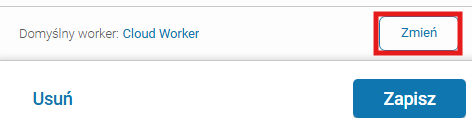
### <mark style="background-color:blue;">Domyślny worker</mark>

Możesz zmienić domyślne urządzenie, które jest odpowiedzialne za wykonywanie zadań backupu oraz przywracania danych.

<figure><img src="/files/M3qpX3daqwjdbxxoLQk5" alt="" width="354"><figcaption></figcaption></figure>

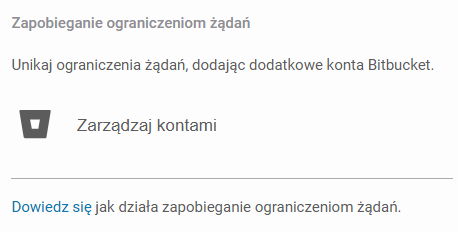
### <mark style="background-color:blue;">Zapobieganie throttlingowi</mark>

Jeśli chcesz dodać dodatkowe konta w celu ograniczenia **throttlingu**, możesz dodać ich poświadczenia i zarządzać nimi w tym miejscu.

<figure><img src="/files/eyVLvsgBR6DWyTJVB1rM" alt="" width="344"><figcaption></figcaption></figure>

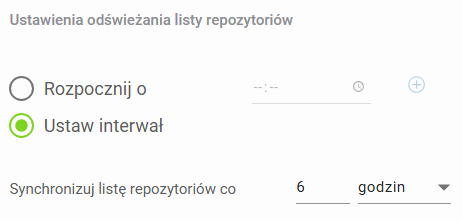
### <mark style="background-color:blue;">Ustawienia synchronizacji</mark>

Tutaj możesz edytować ustawienia **synchronizacji**, w tym opcje dotyczące **synchronizacji listy repozytoriów**.

<figure><img src="/files/SedkUmTDeJxZktHJJZYd" alt="" width="347"><figcaption></figcaption></figure>

***

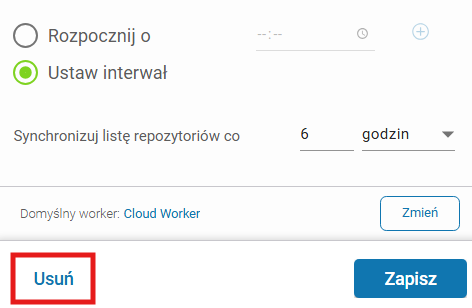
## Usuwanie organizacji

Aby usunąć organizację **DevOps** z **Xopero ONE**, kliknij przycisk **Usuń** znajdujący się na dole **okna edycji organizacji**.
<figure><img src="/files/AAOyNP0rO7N3DGmubc94" alt="" width="354"><figcaption></figcaption></figure>


---

# Agent Instructions
This documentation is published with GitBook. GitBook is the documentation platform designed so that both humans and AI agents can read, navigate, and reason over technical content effectively. Learn more at gitbook.com.

## Querying This Documentation
If you need additional information that is not directly available in this page, you can query the documentation dynamically by asking a question.

Perform an HTTP GET request on the current page URL with the `ask` query parameter, and the optional `goal` query parameter:

```
GET https://helpcenter.xopero.com/xopero-one-en/pl/zarzadzanie/devops/edycja-organizacji.md?ask=<question>&goal=<endgoal>
```

`ask` is the immediate question: it should be specific, self-contained, and written in natural language.
`goal` is optional and describes the broader end goal you are ultimately trying to accomplish on behalf of the user. GitBook uses it to tailor the answer towards what is most useful for that goal.

The response will contain a direct answer to the question and relevant excerpts and sources from the documentation.

Use this mechanism when the answer is not explicitly present in the current page, you need clarification or additional context, or you want to retrieve related documentation sections.