> For the complete documentation index, see [llms.txt](https://helpcenter.xopero.com/xopero-one-en/llms.txt). Markdown versions of documentation pages are available by appending `.md` to page URLs; this page is available as [Markdown](https://helpcenter.xopero.com/xopero-one-en/pl/zarzadzanie/devops/lista-repozytoriow.md).
# Lista repozytoriów
Ten artykuł zawiera informacje na temat listy repozytoriów oraz jej synchronizacji.
#### Lista repozytoriów jest dostępna w dashboardzie organizacji DevOps pod przyciskiem Przeglądaj.
***
## Przegląd listy
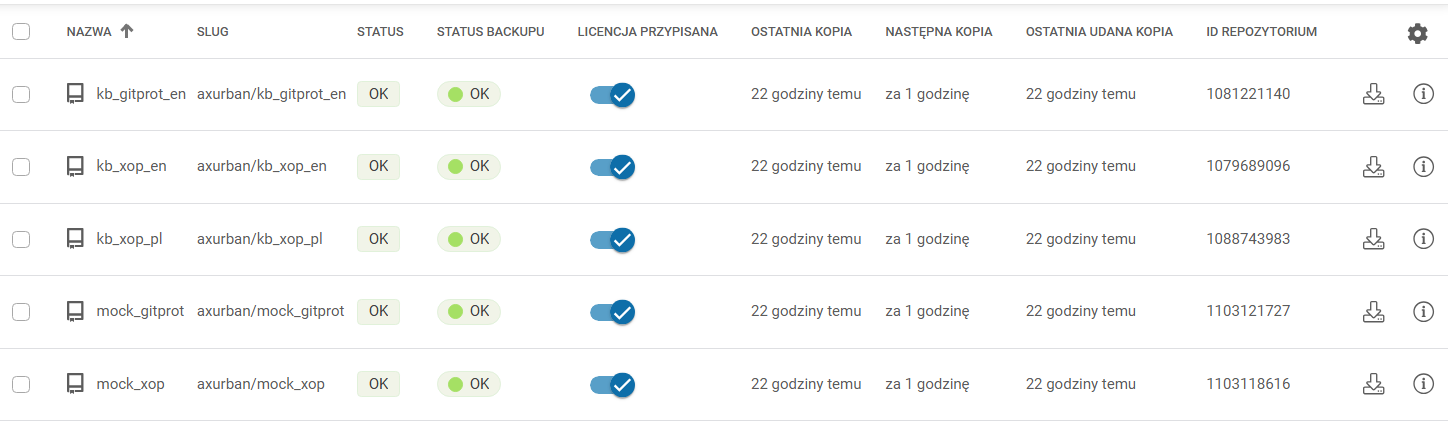
Każda lista wyświetla kluczowe informacje o repozytoriach w formie tabeli. Aby modyfikować kolumny wyświetlane na liście, użyj przycisku ⚙ **Koła zębatego** po prawej stronie.
1. **Nazwa** — nazwa repozytorium.
2. **Slug** — identyfikator strony repozytorium.
3. **Status** — status repozytorium.
4. **Status backupu** — status ostatniego **backupu**.
5. **Licencja przypisana** — pozwala na przypisywanie lub usuwanie licencji z repozytoriów.
6. **Ostatnia kopia** — czas ostatniego backupu; obejmuje również próby zakończone niepowodzeniem.
7. **Następna kopia** — zacowany czas rozpoczęcia kolejnego backupu.
8. **Ostatnia udana kopia** — czas ostatniego pomyślnie wykonanego backupu.
9. **ID repozytorium** — identyfikator repozytorium.
***
## Synchronizacja
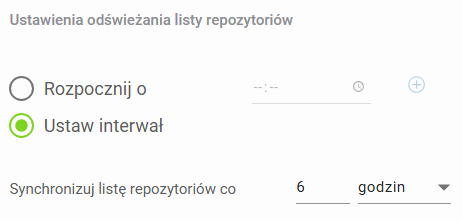
Podczas dodawania nowej organizacji **DevOps** możesz określić godziny, w których **Xopero ONE** ma synchronizować się z jej repozytoriami, lub ustawić powtarzalny interwał czasowy.
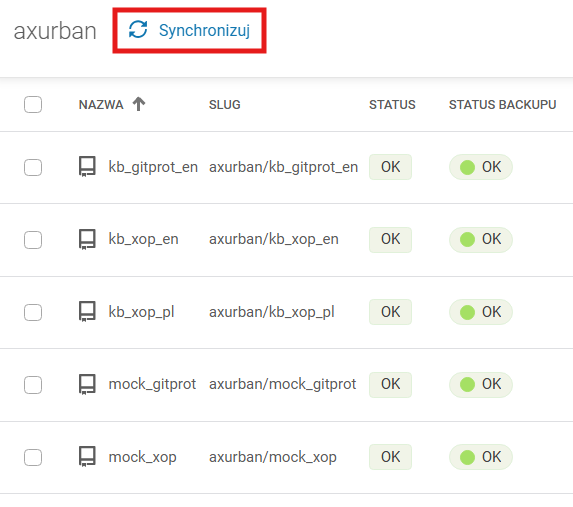
Możesz również uruchomić zadanie synchronizacji bezpośrednio z listy repozytoriów — aby zsynchronizować **Xopero ONE** ze swoim środowiskiem **DevOps**, kliknij przycisk 🔄️ **Synchronizuj**. Czas ostatniej synchronizacji jest widoczny pod listą repozytoriów.