> For the complete documentation index, see [llms.txt](https://helpcenter.xopero.com/xopero-one-en/llms.txt). Markdown versions of documentation pages are available by appending `.md` to page URLs; this page is available as [Markdown](https://helpcenter.xopero.com/xopero-one-en/troubleshooting/changing-the-password-reuse-policy.md).
# Changing the password reuse policy
This article describes how to change the unique password policy in Xopero ONE Management Service.
#### The unique password policy improves account security by reducing the risk of repeated password reuse, which can make accounts more vulnerable to unauthorized access.
***
## Overview
By default, the **Xopero** system remembers the three most recently used account passwords, which **cannot be used again when creating a new password.**
It may prove useful to change temporairly if you encounter issues with password change, but it is not recommended to be disabled entirely.
***
## Changing unique password policy
{% stepper %}
{% step %}
In [**XMS**](#user-content-fn-1)[^1], navigate to the left sidebar and click ⚙️ **Settings** at the bottom.
{% endstep %}
{% step %}
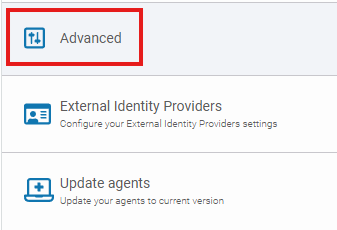
Select **Advanced** to open advanced options.
{% endstep %}
{% step %}
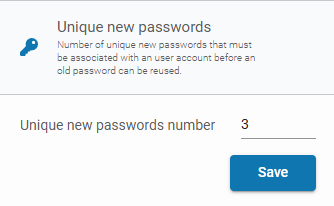
In the **Unique new passwords** section, set the **Unique new passwords number** value to 0 to allow password reuse without restrictions.
{% endstep %}
{% step %}
Click **Save** to confirm your changes.
{% endstep %}
{% endstepper %}
[^1]: Xopero ONE Management Service