> For the complete documentation index, see [llms.txt](https://helpcenter.xopero.com/xopero-one-en/llms.txt). Markdown versions of documentation pages are available by appending `.md` to page URLs; this page is available as [Markdown](https://helpcenter.xopero.com/xopero-one-en/troubleshooting/using-anydesk-for-a-remote-support-session.md).
# Using AnyDesk for a remote support session
Launch a secure remote connection using AnyDesk to enable Xopero support technicians to assist with troubleshooting.
**Establishing an AnyDesk remote desktop session allows Xopero technical support engineers to securely connect to your environment for real-time troubleshooting, configuration, diagnostics, and issue resolution.**
***
## General information
For remote support sessions, **Xopero** IT support uses **AnyDesk**, a secure remote desktop application. The app is fully portable and does not require installation on your device.
Default permissions are primarily limited to desktop control, system information access, file transfer, and device power management, but users can manually adjust them at any time.
Recording takes place only upon explicit notice, and data is stored in accordance with [Xopero GDPR policy](https://xopero.com/terms/personal-data-protection-policy/) available on the official website. The same applies to log files, event logs, and similar technical data — specifically, all data strictly necessary for troubleshooting.
Closing the application terminates the active remote session and completely stops the underlying process.
***
## Connecting with the support tech
The following procedure describes how to establish a secure remote desktop connection using **AnyDesk**.
{% stepper %}
{% step %}
Download the official **Xopero AnyDesk** remote client.
* :windows: **Windows:** [XoperoRemoteClient.exe](https://my.anydesk.com/v2/api/v2/custom-clients/downloads/public/619YZB65KW5W/XoperoRemoteClient.exe)
* :linux: **Linux:** [XoperoRemoteClient.tar.gz](https://my.anydesk.com/v2/api/v2/custom-clients/downloads/public/SBPYYVBKNE0U/XoperoRemoteClient.tar.gz)
* :apple: **MacOS:** [XoperoRemoteClient.pkg](https://my.anydesk.com/v2/api/v2/custom-clients/downloads/public/JNZBC44LT2DA/XoperoRemoteClient.pkg)
{% endstep %}
{% step %}
Launch **AnyDesk** using the downloaded file.
{% hint style="warning" %}
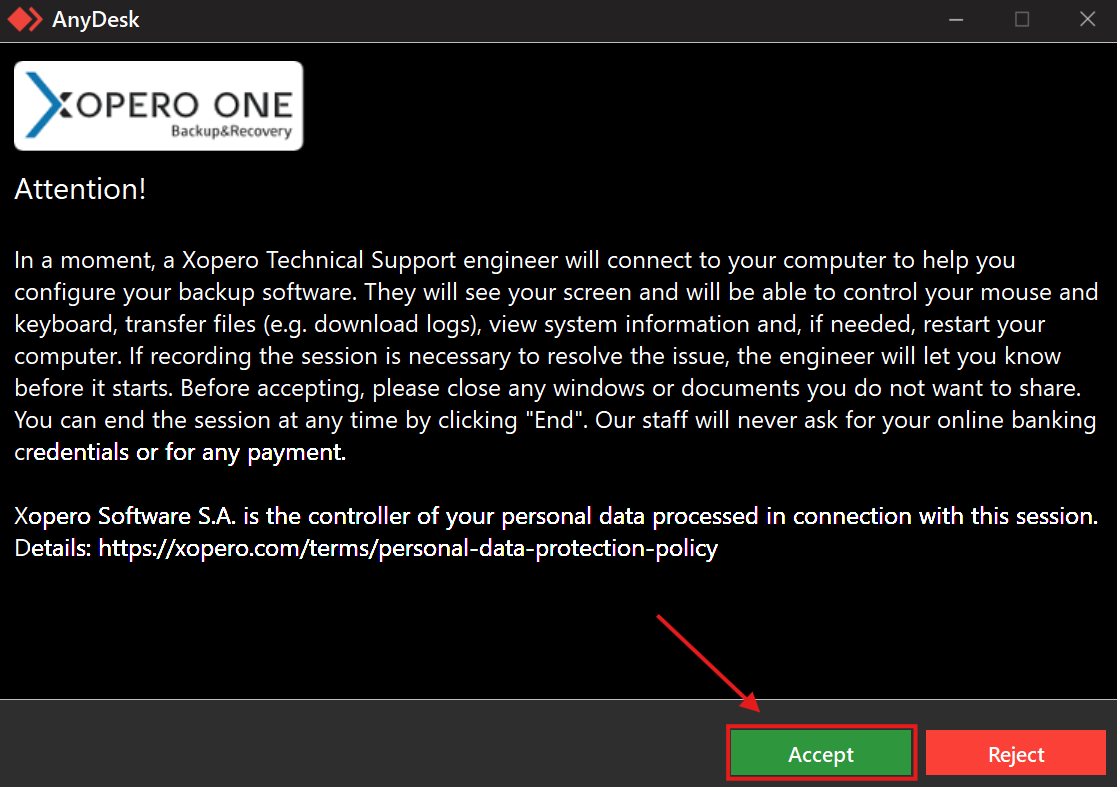
In **Windows**, an additional prompt appears after launching the application. You must accept the remote connection terms to proceed.
{% endhint %}
{% endstep %}
{% step %}
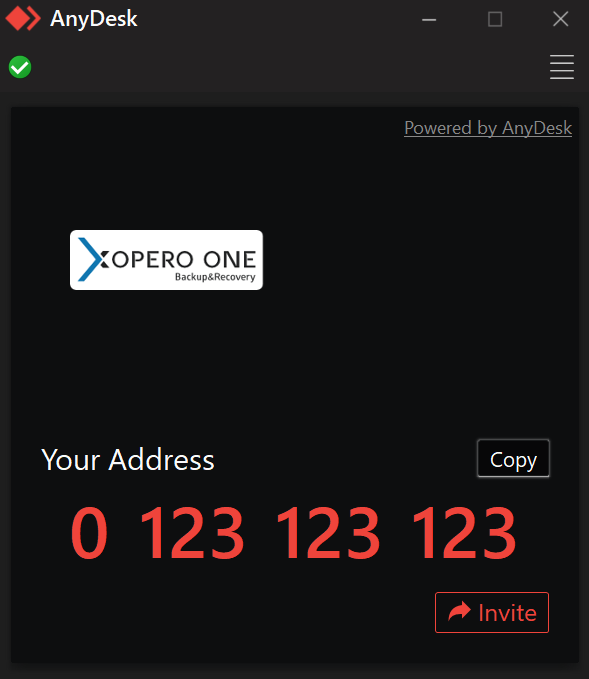
To connect with **Xopero** IT support, you can either click **Invite** and enter the technician's ID, or provide your ID to the technician and accept the incoming remote connection request.
{% endstep %}
{% step %}
Once troubleshooting is complete, close the **AnyDesk** application to terminate the active session.
{% endstep %}
{% endstepper %}
***
## Useful links and items
{% embed url="" %}