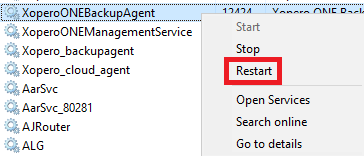
Open Task Manager and navigate to the Services tab.
Find the XoperoONEBackupAgent service, right-click it, and select Restart.
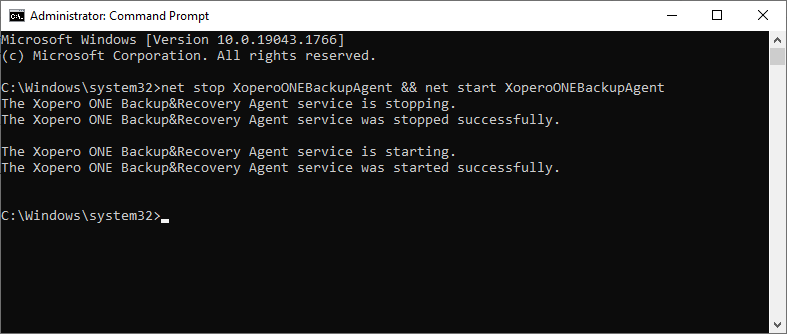
Open the Command Prompt (cmd) and execute the following command:
Open the Terminal and run the following command:
Open the Terminal and run the following commands:
net stop XoperoONEBackupAgent && net start XoperoONEBackupAgentsystemctl restart XoperoONEBackupAgent.servicestop com.xopero.packages.XoperoONEBackupAgentstart com.xopero.packages.XoperoONEBackupAgent