Overview of VMware backup options and features in Xopero ONE, including useful tools, transport methods, and backup capacity settings.
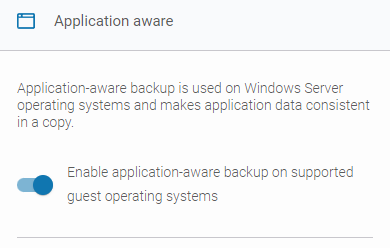
Application aware
In Xopero ONE, when you're creating or editing a VMware backup plan, you can enable the application-aware backup option (available only for Windows Server versions). This allows you to create transactionally consistent backups or replicas of virtual machines.
This functionality relies on the Microsoft VSS (Volume Shadow Copy Service). VSS temporarily pauses the application and write requests (up to 60 seconds), flushes the file system buffer, and freezes the file system. This process ensures that file system metadata is written and that data is saved in a consistent order.
Changed Block Tracking (CBT)
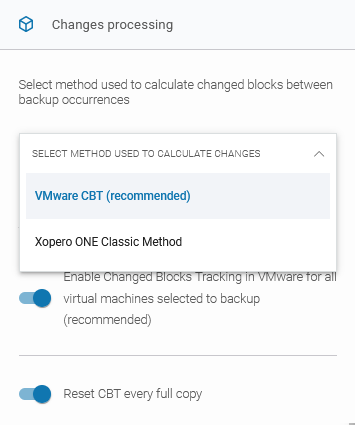
The Changed Block Tracking (CBT) tool calculates and provides Xopero with the differences between full, differential, and incremental backups; it's a VMware-provided tool that Xopero ONE uses by default.
The method for calculating changes can be selected from the drop-down list. When VMware CBT (recommended) is selected, you can configure two additional checkboxes:
Enable Change Blocks Tracking in VMware for all virtual machines selected for backup (recommended) — when this option is enabled, CBT will be used for all protected virtual machines.
Reset CBT every full copy — when enabled, CBT will be reset during each full backup. Since CBT leaves markers indicating where the last changes occurred, this option clears those markers to prevent potential issues.
Following are all transport methods available in VMware backup settings:
Automatic (recommended) — Xopero ONE will automatically determine the best available transport method for each worker and apply it accordingly.
HotAdd — available only for virtual appliance workers (see for more details). This method creates a snapshot and a linked clone of the target virtual machine. The disk is then attached to the worker, which reads the linked clone’s virtual disks for backup.
SAN — this mode requires the backup server to have access to the SAN
This feature skips SWAP partitions and files, as well as empty blocks. By using it, you can reduce the backup size and the time required to transfer the backup to storage.
This feature is enabled by default. Administrators can configure two additional settings:
Skip SWAP files, and partitions — SWAP files and partitions will be excluded from the backup.
Skip empty blocks — all empty blocks will be skipped during the backup.
Disk consolidation option forces consolidation of the source machine's disks on the VMware side before taking a snapshot to ensure virtual disk consistency and optimize I/O performance.
storage containing the virtual disks. A
SAN backup worker
must be a physical machine. In this mode, data is read directly from the
VMware LUN
storage where the virtual disks are located.
LAN — also called NBD/NBDSSL. In this mode, the ESXi host reads data from the storage and sends it over the network to the worker. This method is typically used when no other transport option is available.
If CBT is unavailable or you choose not to use it, you can enable the Xopero ONE Classic Method instead. In this case, the Xopero ONE agent calculates the differences between differential and incremental backup executions.
It is recommended to use the Xopero ONE virtual appliance for VMware backups. If you choose to use the Xopero ONE Classic Method, the agent installed on the virtual appliance will handle the calculation of changes.